
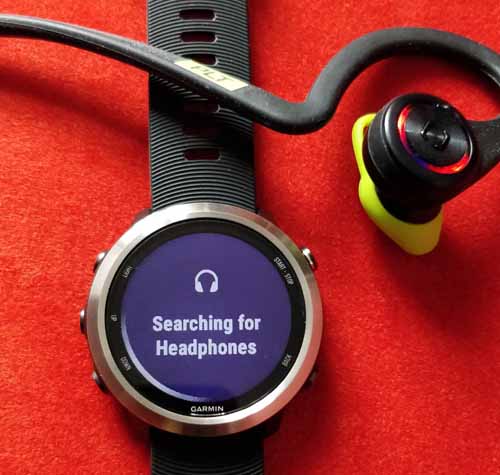
The Garmin 645 Music watch is available at around £399.99 and for the bargain price of £270 at tobydeals at the time of writing.
If you don’t need music try the excellent Garmin Forerunner 235 at around £160.
In this article I try out a Garmin watch that you can add music to. I show you a quick video of the music experience on the watch. I go through adding music using a MAC, a computer and the watch using Spotify.
“The Garmin 645 Music watch is optimised for paid for music streaming subscriptions. After a little bit of faffing about running with the watch is a joy.”
What works
- The watch can be used a hard drive to drag and drop mp3s to a music folder.
- The watch can be used with Spotify Premium if you are careful with the amount of music you load onto it.
- Running with the watch is a joy as you don’t need to carry your phone or a music player. Selecting next track is easy as you push the left hand down button in.
- One surprise is that you get a voice telling you your lap times as you have headphones on. This is great and reminds me of the good audio feedback on the iPod Nano running solution where Paul Radcliffe would tell you your lap time and that you’ve beaten your personal best. A lovely engaging touch that is a good motivator.
- I didn’t see any negative reduction on battery life and the watch worked well over about three days with several runs in that period.
- The sound from the watch is clear and loud. I had a little clipping once when running. I suspect it may be my bluetooth headphones.
What could be improved
- The user flow of adding of music to the device could be improved. It was a bit of a “Faff”. A prompt on the watch to enter your Wifi password on the watch would help instead of relying on you reading the second paragraph down on the phone App text.
- Wording on the watch is not clear. “Play all” does not “Play all”. It only plays ALL of the selected music provider at that time. If you have only one mp3 file you will just hear that.
- The wording “My music” is misleading. It isn’t my music its just some of my music. This is the mp3 and aac files music you may have uploaded.
- There appears to be no “shuffle” selection. This is a key feature to play music at random as when you are running you don’t want to be continually pressing buttons to change the same playlist.
- If you haven’t used Spotify on a daily basis you may come across the “Content expired” error message. Select “Update downloads” on your watch whilst connected to your wifi and then login to Spotify on the PC and you should be fine.
The running benchmark, the iPod Shuffle
I run with an iPod Shuffle as it is very small, clips onto my running collar and most importantly 9 out of 10 times is already charged. I add music using iTunes and I press play and the music comes on. This is important as I get out the door quickly and can enjoy my run without a lot of “faffing about”.
“Faffing about” is a technical term for wasting minutes of my life that I won’t get back. This is the benchmark. Shorts, shirt, shoes and music player and out I go. It works.
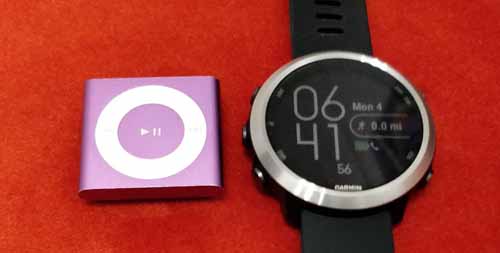
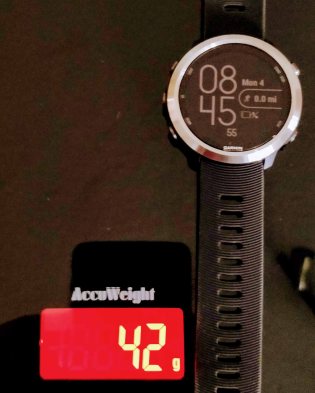
The Garmin 645 is a very lightweight (Around 42g measured) compact watch with the trademark ultra comfortable strap. You can’t really feel it on your wrist.
Using an Apple MAC to add music
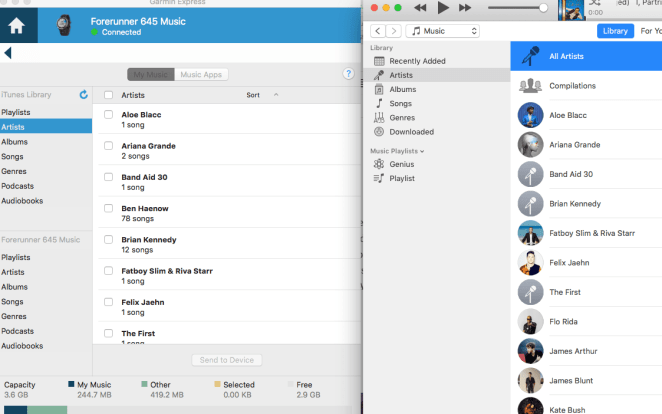
Once connected to my MAC using the black snap usb cable you download a program called Garmin Express.
After running the program you may be presented with a blank screen that doesn’t show the login or password windows needed.
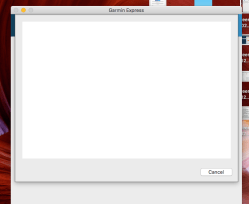
To rectify this remove Garmin Express and re-install it. Then you should get the login screen and be able to sync music with iTunes.
Now with music on the watch you can go running.
Using a PC to add music
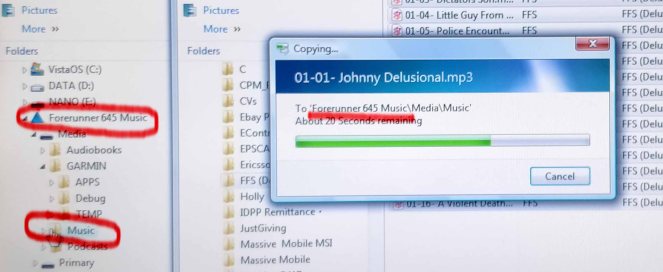
Connect the watch to the PC and it should come up as hard drive called “Forerunner 645 Music” (Highlighted below in red). Drag and drop mp3s using the mouse and the PC screen as shown below.
Now the watch should have paid for music on it.
Syncing Spotify Premium
For streaming services you have to use the premium “paid for streaming subscription” to get your music on the watch. Free subscriptions to services such as Spotify won’t work.
I asked my daughter for her Spotify username and password as she is the only one using Spotify in the house. The syncing process of 100 songs started and after two failed attempts and not reading the words on the phone App asking you to add a Wifi password to the watch it came up with five error messages “battery below 50%”, “IQ”, “Storage full”, “Content expired” and “Incorrect password”.


After a call to Garmin and sharing the screenshots of the errors. I decided to reset the entire watch and start again.
Adding Spotify again
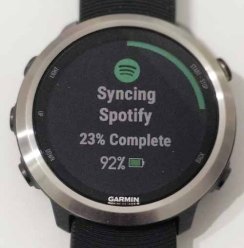
I went into Spotify again and selected to add 15 tracks on the watch as I suspected it didn’t like the 100 tracks I synced with it earlier. This synched very quickly within 3 minutes and the tracks play when you select “Spotify” as the “music provider”. So I have 37 tracks on the watch in total.
Adding 100 more music tracks
My daughter’s Spotify has 100 tracks in the list. I go for broke. This time I sync the watch with no errors. All I have done in logged into Spotify on the MAC and logged out of it. Now I have 137 tracks on the watch. Garmin say it can take five hundred.
Some User Interface issues
I discovered that my assumption that the watch would just play any music onboard was wrong. You have to long press the down button and select “My music” to play tracks side loaded onto the watch using a PC. If you want to play Spotify music you have to repeat the process and select “Spotify”.
This is new behaviour having to select my mp3s and then having to select a music provider.
When you select “Play all” it doesn’t play “all”, it plays all of the track from that chosen provider. I have 12 MP3s on there and they play that when you “Play all”.
Other Music Providers
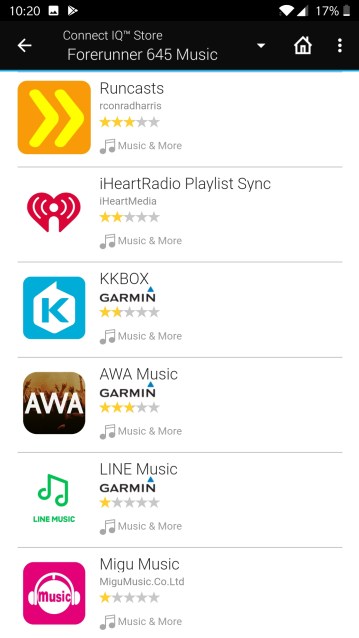
Here’s the list of other music providers for the Garmin.
The product does support the Deezer Premium App. Note that the quality of the music experience does not depend on Garmin but the quality of the App provided to the Garmin IQ store.
The analogy here is that the watch App is like a phone App. Don’t blame the watch if the App isn’t great as Garmin didn’t produce it. I don’t know if Garmin test the Apps before they go into the Garmin IQ store.
Running
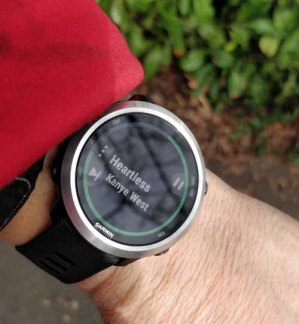
Running with the product is great. The audio is crisp and clear.
You can select the next track by hitting the bottom left button.
Selecting different music is more challenging as you have to hit the left middle button, scroll up or down and hit the top right button to select to change the music provider.
It’s good to get lap times said to you with a female voice as you run. This means you can focus on your running and not looking down at the watch.
Using the watch to play music in your bedroom
You can connect the watch to a Bluetooth speaker such as my Retro Mini Dab radio speaker and play music in you bedroom from your watch. This works and is good fun.

Conclusion
The Garmin 645 watch once loaded with music is a very lightweight watch that can be used to run with. It’s a good start of a platform of a watch you can add music to. If you are regular with Spotify or Deezer you may find it easier to load music onto than me.
Smart home gear may push some users towards other music providers such as Google and Amazon Music . This needs to be consider in the future as they don’t work on the watch now and if you pay for either you may not want to pay for Spotify premium.
I think that Garmin can improve the music experience by tweaking the user interface to guide you to add music for the first time.
 whichwearable.co.uk
So, is it better than the shuffle?
LikeLike
No I’m back to buying a second hand pink shuffle.
LikeLike