

Suunto kindly lent me the black Spartan Sport so I could train for the Windsor Half Marathon this month. I’ve been out running already and have three weeks to go.
You’ll need:
A training program in any form paper or electronic, the Suunto Spartan, the watch USB cable, Suunto Movescount software and SuuntoMoveslink on a PC/MAC.
Here is how I set up the watch.
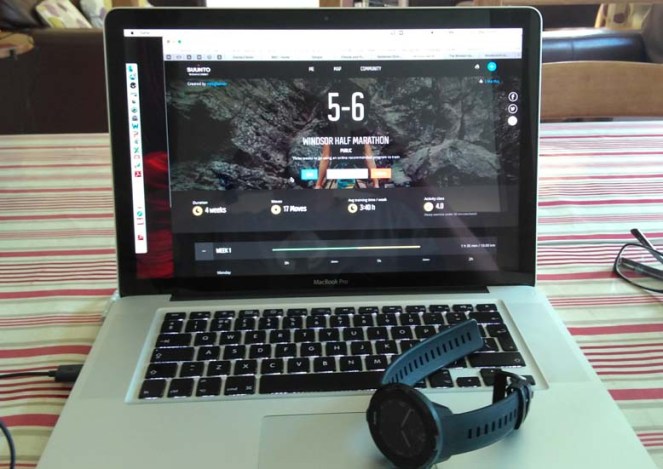
- I obtained a print out of a weekly training program from the Internet to enable me to come in below 2 hours for the half marathon with the daily activities marked out.
- I registered for the PC/MAC browser software http://www.movescount.com
- I downloaded the Movelink software for the Spartan for my MAC . This connects your Spartan to Movescount on my MAC. (Tip if your Spartan is not syncing check the Moveslink software is running and can detect the Spartan whilst connected to the computer via the USB cable, this is the culprit).
- I uploaded manually the daily activies say “1 hour HARD run on Thursday 07/09/2017” into My Training link on Movescount software . This took around 20 minutes and is quite manual. It could be improved with a wizard GUI to allow reptition to be avoided e.g. Activity = running all of the time as the drop down menu for activities is huge. Tip you can jump to “Run” by selecting “r” on your keyboard .
- Once I had done that I then synced the MAC with the Spartan with the USB cable.
So the result is that I have a training plan on my watch . See the video below showing the synced training plan. On the day for exercise I press the Exercise button and the planned activity is automatically shown say “ 40 minutes HARD run” as below. You “Start” that planned activity. I have the Movescount (On my MAC) set-up for syncing to Strava so the runs are synced there. Tonight it’s a 20 minute hard run..lets do it.
whichwearable highlight: After programming the training schedule in when you select “Exercise” the days planned activity shows up and prompts you to do it on that day.
whichwearable lowlight : Not getting the Spartan to sync on my old MAC for 10 minutes but then restarting the MovesLINK software and that fixed it.
 whichwearable.co.uk