

By Editor Brian Turner
Overall whichwearable rating 
Value
“Work is for people who don’t have a Garmin Quatix 5 ” whichwearable

Watch without metal bracelet available to buy at around £499 at Amazon.co.uk , with metal bracelet at around £662 from Garmin’s site
Quatix 5 Marketing Promises
Take Control Anywhere On Board 
This is a good feature, experience using it will prove how useful it is on a daily basis.
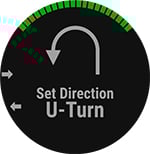
Take Advantage of Garmin SailAssist™ Capabilities
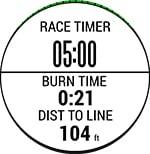
Missing the start line when the gun goes off is not advised when racing.
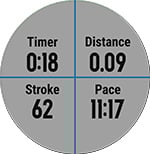
Collect Water Sports Data
An extra screen on your wrist to monitor your speed in boats, kayaks, paddle boards.
Navigate Across Water and Land
Waypoint marking for Man Over Board and Nav connection gives you extra another tool to use whilst running around the deck .
Enjoy Your Entertainment
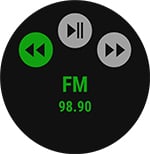
Remote changing of music on a boat and whilst running (Customisation of buttons is recommended to make this easier) is a great feature as sound changes on the water.
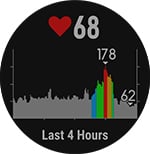
Wrist-based Heart Rate¹
All the best features for Sport from Garmin.
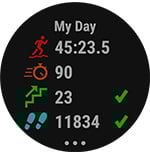
Built-in Activity Tracking
For first time users starting activities and exiting Apps is troublesome at first but after a week you’ll get into it. A steep learning curve worth travelling.
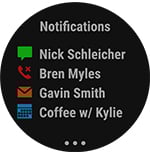
Comprehensive Smart Connectivity
This product works better than expected at WORK with good calendar and notifications. The notifications are useful and not intrusive. Calendar invitations include the ROOM you have to meet in. Email content text is formatted  format on a circular screen which is fine. The watch stands out at work with many wanting to know what it is.
Always Impressive
Clip on watch starps work well in seconds.
Target Customers
- “Design aware, connected/racing boat” people.
- “Design aware, water sports” people.
Why buy it?
- You are active watersports design led individual who wants to wear a watch that makes a statement.
- You have a boat that has this compatible gear ( Including autopilot and plotters) on it and you want this data to be shown on your watch as well as your gear’s LCD screens dotted around the boat. The watch becomes another screen on your wrist. If your boat gear isn’t listed then you as well consider the Fenix 5 watch without boat connectivity (Multisport watch).
- You may to control your boat direction or on board music system using your watch or just brag to others that you can do that without settings it up.
- You may want to compete with those friends that have a very expensive “boat watch” that doesn’t do very much. This is “Top trumps!”
- You want to wear this product everyday and use it for email/text/calendar notifications.
- You may golf, hike, paddle board, kayak, open water swim, run, fish occasionally and want to record your activities.
- You are seeking to improve your fitness with HR training and “get into the fitness world”
What could be improved?
- Improved user experience which has a consistent way to EXIT Apps.
- No consistent means of STARTING and STOPPING WIDGETS. Exiting is so painful and not consistent.
- Some better thought for the button functions whilst in a boat or running. The design should support the activity rather than relying on the customer to personalise the button functions (Which can be done).
- A GUI wizard to set up NEW activities rather than have to check every item e.g. GPS to see if you have added it to make it work.
- A short video from Garmin to get you over the user experience dip a few days after you have the watch so you can enjoy the wealth of features on board.
My favourite car sticker is below.

1st impressions last

The Garmin Quatix 5 arrived and boy is this watch a statement. You’ll get a new feeling of importance when you open the box. You’ve arrived! The Sapphire edition boasts scratchproof glass and one heck of a metal bracelet. That bracelet could fit a giant. So how can I review this product I can’t get it on my wrist? I rushed to Amazon and ordered this tool.
Then with head in my hands I looked at the other contents and hurrah it contains the blue silicone straps. I cancelled the Amazon order. Click, click and then click, click the blue silicone straps are on. I’m ready to go. Switched the product on, 25% charge that’s great lets get synced with an Android smartphone.
Loaded with features
I’ve compared the Sapphire edition and the standard Quatix 5 and you can see the longest list of features here
Garmin Connect App
I have already the great Garmin Connect App and tried to pair it with the watch, it failed first time on connection. Ok second time the Smartphone allowed the connection.


The sync took around 3-4 minutes and there were no issues. I set up the watch as a “trusted device” in Android so that when my watch is near my smartphone it unlocks automatically. I lived to regret that as I kept losing my Bluetooth connection and discovered no fault with the watch but what was happening was when I was running the Smartphone was unlocked and my shoulders were activating the lock screen and switching off and on the quick links on the settings from the Android phone. So Smartlock is a great idea if you don’t want to keep unlocking your phone but not a great idea if you do sport and run.
Customising the screen face
I love the customisation feature where you can displays multiple parameters on the dislay . I chose Barometer, Steps and Altitude with blue circular surrounds on the figures.


Straight into the water
A beautiful Saturday morning in Berkshire, location Horseshoe lake, water quality “excellent” .

Time for some paddle boarding or SUP . SUP is short for Stand Up Paddle boarding.
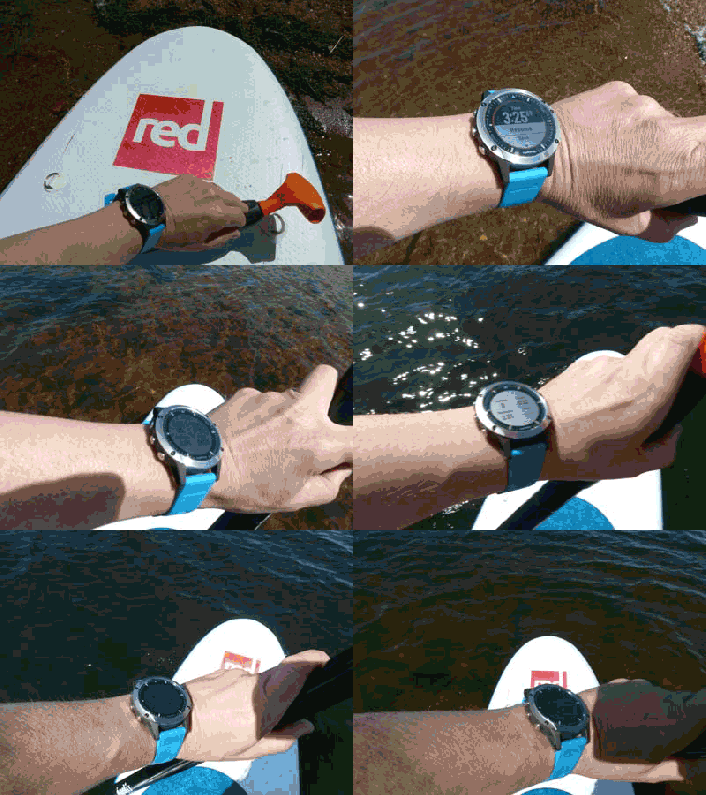
I’m invited to do some SUP Yoga with a group of ladies, I pass this time. If this watch can’t get you into the water nothing can’t. I selected Paddle boarding from the Menu. I then pressed the START key quickly. For new users of Garmin devices you have to “learn” the way that Garmin work. A quick press of a the START/STOP button starts or stops the activity. A long press of the same button will not START your activity but will start another feature. The start of paddle boarding is indicated by a green triangle icon and the end by a RED square icon.
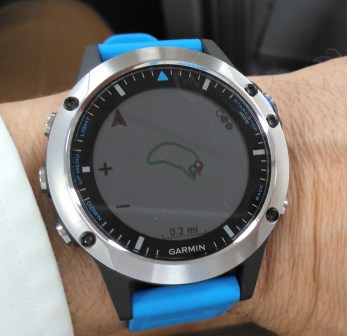
The watch displays the stroke number, my pace, distance travelled and the time since the start of the exercise. I do two laps of the lake and review the results. The watch has mapped out my journey on a map (See below), total number of strokes, average stroke rate/min, average stroke distance and calories burnt.
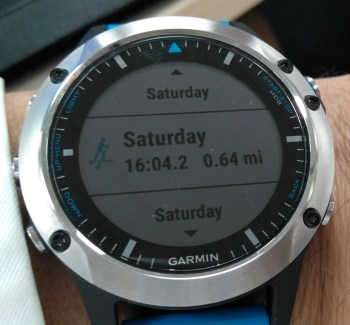
Paddle board results, 0.64 mile covered overall. 
A summary of the paddle board activity.
There is free water swimming available at Horseshoe link check out their web site for details.
Going for a run


The Quatix 5 has all of the running features from the sister product the Fenix 5 plus all of the watersport and boat connectivity software.
Selecting RUN on this product is a joy.


When you select RUN wait for the watch to get the satellite lock. You will get a red light around the screen that will turn green when the lock is achieved with the GLONASS ( Russian satellitte connection) in less that 15 seconds. During the run you can check your heart rate with the watch HR monitor, the HR zone you are in, ascent reading (Going up, down) and your average speed . OK so the same sort of stuff you have read before.


Music remote control.
How about running and controlling your music from your smartphone from watch. The remote feature is designed to control your music on your boat and smartphone at home. Here I was running and trying to change the music whilst running. A long press of the top left button brings up shortcuts to features from “Find my phone (Most useful widget ever!) to “Remote control of music”.
I started my music from my watch and had a go at changing tracks but to be honest the UI doesn’t support “on the go changes” as the >> arrows have to be selected by going up and down and selecting them independently .
So its a fail first time in trying to music on the go but a pass on starting the music from your watch as you don’t have to take off your watch from your arm to start the music from the phone music player. Garmin came back to me and said I could customise the start and next buttons on the device. I didn’t try it but I think it is good that you can customise buttons.


Hiking
I switched from the run mode and “hiked” for 1 1/2 miles. The watch shows the route you have taken with the North direction as a red arrow. This is a very useful feature and for those on moors and open spaces well worth having to ensure you don’t go around in circles. I was impressed by this feature.


Managing Email, notifications
The Quatix in the office can manage your email, calendar and text notifications. It’s all done subtly.


Barometer
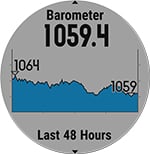
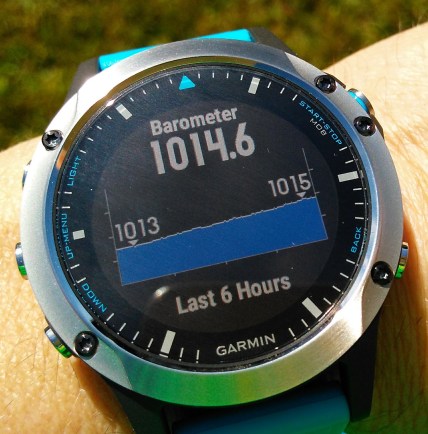
To me the Barometer was the most surprising and useful feature on the watch. It shows the direction of the pressure. If the pressure is going up the weather may likely stay good for the next days. If down the weather is likely to get worse. This was a very good indication of the weather and I found myself looking at this for the weather predictions and comparing it with the Weather forecast and it was a very good indicator of change.
Off for a swim at the Gym swimming pool
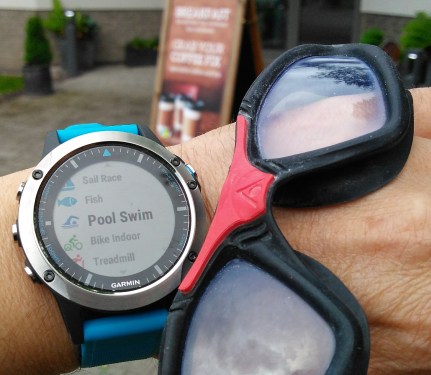
I swam two lengths indoors and used the “Pool Swim” . The watch switched on GPS which confused me ( How it is going to get GPD inside?) and guess what it didn’t so incorrectly recorded my swim of 50 m as 75m. Now that needs addressing. It needs to differentiate between INDOOR and OUTDOOR LIDO swimming.
Boating Features Reviewed
Given that I don’t own a boat I interviewed two sailing experts with more that 80 years experience between them! I showed them the watch and went through the features. Here is what they said.
Interview with Bruce Macfarlane (Sailor for more than 45 years)


Hi Brian,
Good to hear from you.
With your specialist knowledge of the market place you will know only too well that there is huge competition in the smart accessories market, not only with wearable technology but also with apps on smart phones and tablets.
For me the important part of being smart is having inter-connectivity between different devices and manufacturers. For example there would be little need for a Garmin Quatix 5 if it was incompatible with the current navigation equipment on my yacht. The watch itself is relatively cheap compared with having to replace the existing navigation equipment.
However getting back to your question about Autopilot control function and do I think it would be useful to be able to control my yacht from my watch, the answer would be yes. I tend to use autopilot when in “lazy mode” and a bit like a TV remote control which saves you from having to get off the sofa and walk a few feet to change the channel the ability to change direction and check you were on the right heading with your watch would be a handy accessory.

The ability to control my music system and indeed if possible my yacht marine radio from my watch would be useful. I currently set the volume of these whilst in the cabin only to find that when I go out to the cockpit that I have either set them to loud or too soft. Wind noise and engine noise does have a big bearing on the ability to hear the radio and music system and the ability to change the volume or station with out continually going in and out of the cabin would be useful function.

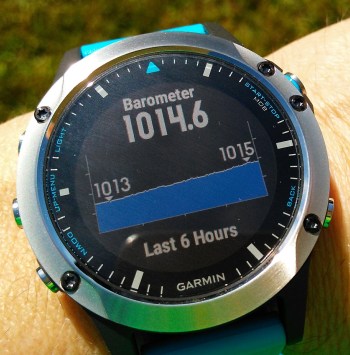
Many sports watches offer a barometer and as someone who has competed in long distance races such as the Fastnet and Round Ireland on a number of occasions a good and easily read barometer is not only useful but I would also say a very important tool. For me an easily set and easily read barometer with a storm warning function is a valuable accessory.
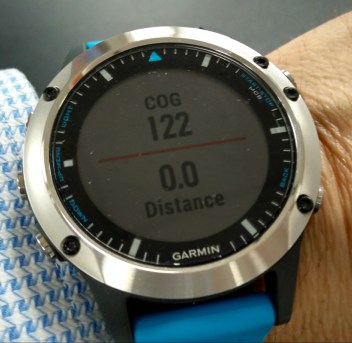
When racing it is important to try and cross the starting line as accurately and as fast as possible so a good race timer showing distance from the line and time to go is a racing must for all competitive sailors. Whilst most yachts will have instrumentation to show COG etc the ability to see this at a glance on your watch is a useful addition. This is not only useful for racing but also an important navigational aid for long distance cruising or racing.
I would purchase the new Garmin watch, at $850 it is probably at the top end of the market put I have a bit of a thing about watches anyway. Compatibility as I have already said is important and manufacturers like Garmin need to be careful as nowadays I can down load an app to my smart phone that for £20 that provides all the navigational aides that I need for coastal sailing. Technology is moving fast and the app market is going to be very disruptive for high cost equipment makers going forward.
I trust my answer are of interest and I look forward to catching up with you soon.
Best wishes,
Bruce.
Interview with Jason Tillet (Sailor for 45 years) Currently sails a Jeanneau 379 (38ft)

Brian (WW) : What makes a good boat watch in your opinion?
Jason : I work a lot on boats from the engine to the hull, watches have to be tough to withstand the rigour of this work so I buy them cheap and tough. My current G shock CASIO has a tide feature which is very useful but mostly I like it because it can take the knocks that we encounter on board. I also change my watch around every four years so I don’t pay a lot for them.
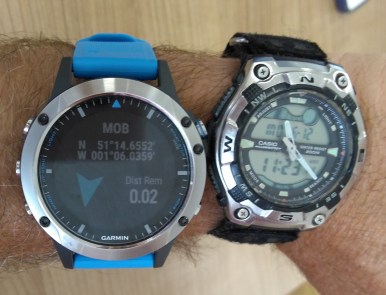
Brian (WW) : Hi Jason what about all of this GEAR on boats how can a Smartwatch work with that?
Jason: Boats have proprietary networks such as SIMRAD and Raymarine and Garmin. (3rd) Garmin is well respected and moving quickly in this space but not the leading brand. Some on board systems have the NMEA 2000 interface . All manufacturers are proprietary but have common converters so you can mix and match . Converters don’t do one to one feature conversion.
Brian (WW) : What about these features on the watch such as Navigation usiing WAYPOINTS?
Jason : The watch is competing with great Apps such as the Navionics App on the iPhone, where it can do this better or compliment it (The watch becomes another screen to the App) this can work. But don’t discount how useful iPhone Apps are and are now used on boats.
Brian (WW) : What about the control feature where you can remotely control the watch?
Jason: The watch could allow you to change direction from one course to another waypoint . You may not do this very often but this is a nice feature , I’m not so sure I’d be using it that often.
Brian (WW) : What about the 5 minute race timer countdown?
Jason : This is useful but I cruise in my yacht in the Mediterranean I don’t race.
Brian (WW) : Would you use the GPS?
Jason . Does it cover all three GPS networks? Brian : Glonass the Russian network, don’t know about the other two.
Brian (WW) : It has an Altimeter and Barometer.
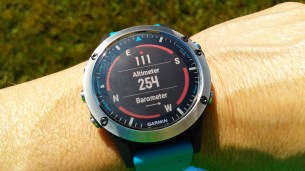
Jason : The Barometer is very useful, obviously the Altimeter (Height) is not useful on a boat but perhaps if you hike.
Brian (WW) : What about the music remote control.
Jason: Yes, Fusion link is very common this is great.
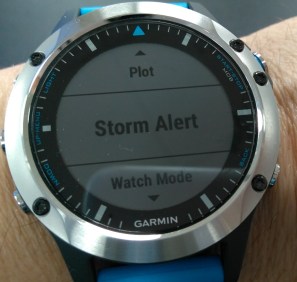
Brian (WW) : What about the Storm warning feature?
Jason : I like that, it’s worth having as an alarm for sailing as the weather can change very quickly at sea.
Brian : Thanks very much Jason for your help in reviewing the Quatix.
Tips in using a Garmin for 1st time users (UI workshop)
I’m getting used to using a Garmin, the watches are technically brilliant but difficult to use. Given some patience you’ll start to think the “Garmin way” and start to enjoy the product more and more. When and if Garmin improve the usability of the product they will drive more and more volumes of their products. Here is a list of tips on the product.
- Calories burnt not temperature. If you see 120c this means 120 Calories not 120 deg centigrade.
- Temperature in Fahrenheit not Degrees Centigrade. The default is Fahrenheit. This can be changed to degrees centigrade by selecting UP/MENU to access the menu, then choose Settings > System > Units > Temperature > Celsius. I was looking for the word “Centigrade” and Garmin use “Celsius .
- If you get then words “MOB” you have entered the Man Over Board option by LONG pressing the start/Stop button by accident. Press Back to exit this.
- To create a custom feature such as “Biking” follow this menu flow (Feedback from Garmin UI team) .
I created a new activity, copied from the default Bike activity. When I start the new “Bike(2)” activity, the GPS is on.
You can view activity settings to check if the GPS is turned on for a certain activity:
1- press START to view activity list
2- use UP/DOWN to highlight an activity
3- hold UP to access the menu for that activity
4- press START to choose Bike(2) Settings
5- press DOWN to scroll to GPS
6- confirm GPS is not turned off for this activity - To delete a custom activity .
Similar to above, you can highlight the custom activity in the main list, then hold the UP button to access the menu. There you’ll find the option “Remove App” to delete the activity. - To create custom buttons.
Select Hotkeys Menu > Settings > System > Hot Keys
whichwearable highlight: Measuring my paddle boarding speed!
whichwearable lowlight: Not being to able to exit the fishing widget, drove me bonkers!
 whichwearable.co.uk