
 by Brian Turner Editor

Overall whichwearable rating 
“Lightning fast with satellite connections, this is a great full featured running watch but the UI is hard to get used to. The ability to promote you to Strava easily is a real bonus” whichwearable
Value
Garmon Forerunner available at around £165 at this link Garmin Forerunner 230 GPS Running Watch with Smart Features – Yellow/Black
Garmin Forerunner Promises
Customise your watch and training ” There is a full set of features here”
On and Off the road running “Glonas Satellite connection is ultra-fast!”
It’s simple . Full stop  “The user experience is very frustrating”
Garmin kindly lent me a Forerunner 230 as I said I’d do the Bramley 10 mile run in Hampshire. It duly arrived and I looked at it’s features. This product has a separate heart rate strap.
This is my first use of a Garmin running watch so if you haven’t tried one yourself I hope this article is of use to you.
First up it looks great and feels like a feather on as its extremely light. I love the yellow, really striking and the watch stands out. People at work comment on how good it looks.
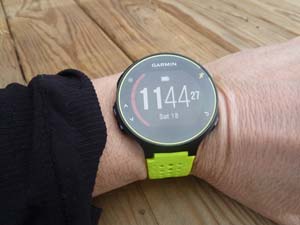
The strap is very distinctive and you can see the bullet hole pattern which makes it very light and you can immediately recognise other Garmin users by it.

The strap matches my Musto shoes so I’m inspired to model the two together for a laugh. Perhaps if Musto made a watch it could look like this. Musto take note!
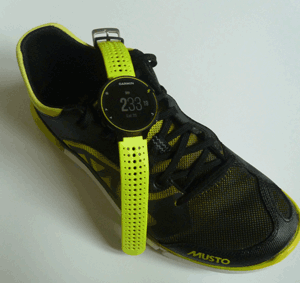
Getting the unit up and running is easy with the charging clip which simply clips onto the unit and fits into a standard USB charger on the other side. The only challenge with this approach is if you lose this specialist connector you can’t use a standard USB cable.

A short “getting started” manual is there to help you get you going.

At work
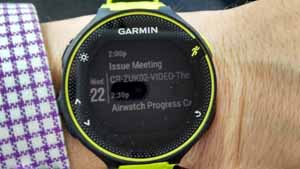
I set the unit to sync with calendar and email and I was very surprised at how good it was. I got notifications of new email and the calendar information was very useful. It even included the room name for my next meeting. This was a real bonus, a running watch which is good at work.
At home planning the run
The first activity I wanted to do was to plan my training up to the run so I entered the date into my Android phone and synced it with the Garmin. The 19th came up and there were no issues with synchronisation.
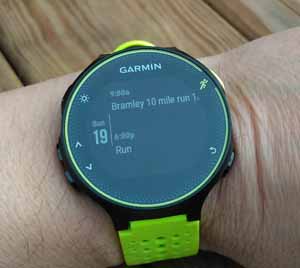
The next task was to look at the weather and thought this was going to be easy. Garmin use web “Widgets”. The App loaded and broadcast the weather icon in the American format as shown below. This must be in Fahrenheit instead of degrees celsius. I was unable to change the format to degrees. I’m sure there is a way to do it. Very confusing icons.

One the day I parked up and walked up to the village with many of the runners. I had a white number and others had a blue number. The guys with the blue number were doing the 20 mile run. That’s twice round the route. Lucky me only having to one loop.
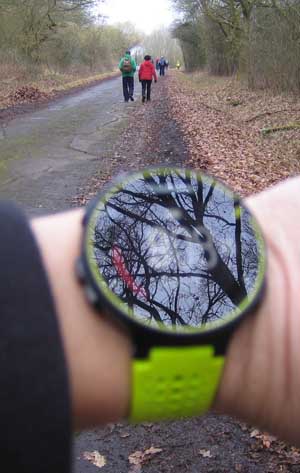
Here is some history on Bramley if you are interested in the village


The device counts your daily steps if you just want it for that. I’ve done 9119 steps below and you can change your daily target to less or more than 10,000 if you want.

Right, I’ve arrived now to get my bag stored in the bagging area, the massage can wait for later.

Waiting around for the start to happen. So why run 10 mile or 20 miles? People running the 10 mile were practising for their up and coming 1/2 marathon (13.1 miles) . Those doing the 20 mile were practising for the full marathon (16.2 miles). One lady was doing the Japanese marathon after this, amazing!

9. 25 a.m and we are nearly there. I try and start the watch and I fail to get it going, two presses or one? The UI is confusing. It has the classic mistake of having TWO menus mixed into one. The Activity menu and the “Menu or settings” are in the same menu! This was so confusing. Why didn’t they separate the two menus into ACTIVITY and SETTINGS? I eventually hit the Activity button by navigating UP and get the satelitte connection in less than 10 seconds, man that is fast and that’s the GLONAS satellite technology kicking in and finding my location.
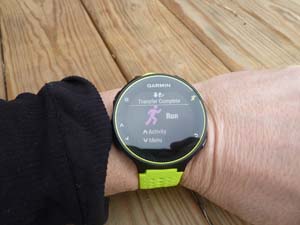
9.32 a.m and we’re off around the beautiful countryside. The guy next to me is trying out the Garmin Forerunner 235. This has a built in heart rate monitor instead of having the seperate heart strap. I don’t mind the heart strap and find it reliable once you have been running a couple of minutes and my sweat has made a good connection between my chest and the strap contacts.
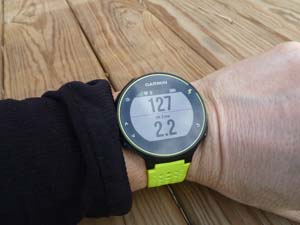
I have the heart rate showing 127 bpm and I’m the zone 2.2 .
After a few minutes I start getting heart rate warning beeps, wow I didn’t set those up, must have been the previous reviewer. I’m in the intense heart zone and aiming for 8 1/2 minute miles. I can’t switch off the warning beeps so I persevere. The heart warning settings turned out to be great reminder that I’m pushing myself for a personal best.
The screen layout can show up to 4 items at a time or 2 large items. This was easy to change.
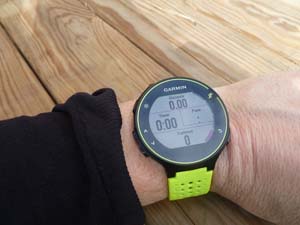
Every mile I get my summary time for the mile and the beeping warning that I’m overdoing it in the heart rate zone.

During the race I pass a group of girls who have beeping TomTom watches. ” I can’t get mine to do what I want she crys out to me’. “Try the Polar M400, simple and it doesn’t beep I cry back”.
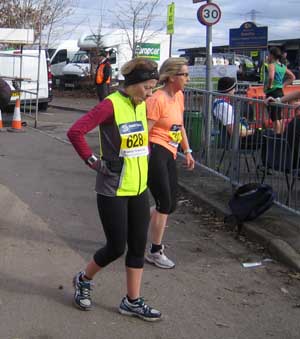
After one hour 20 goes I’m finished the race.
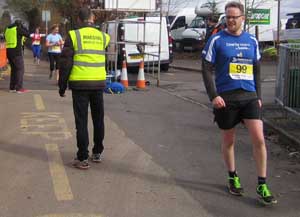
I stop the watch and it gives me a list of records I have beaten from fastest 5K, 10k and mile.


This is where the App kicks in. It presents the summary information for each mile beautifully and a map of the run and my split times.
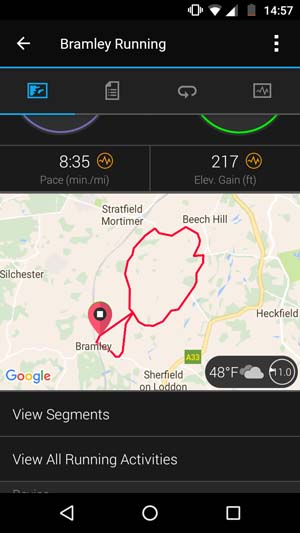
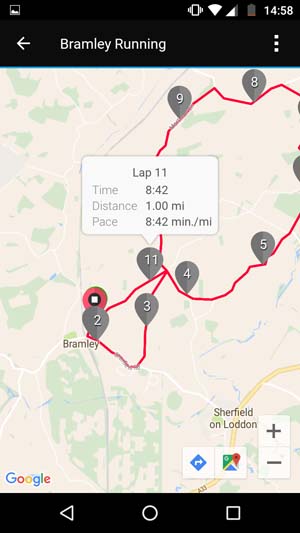

It also shows my average pace and best pace, heart rate min and max.

The elevation of the course is recorded.

Here is a complete record of my heart rate over 10 miles.

The chest strap was comfortable, I had no issues with it.
How did I do?
I ran the course with an average pace per mile of 8 minutes 35 seconds which was great.
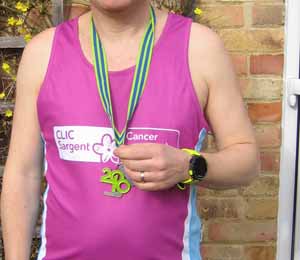
Job done!
Strava
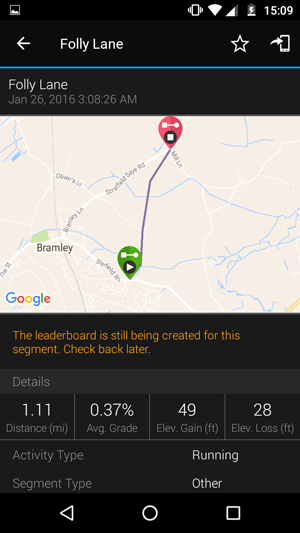
Garmin makes it easy to move into Strava, this is the best bit.


Strava allows you to look at how others you don’t know did on the race and the stretches of the course so if you are taking running very seriously you can see what it took others to do . See below. The stretch below had been run by others and the results were coming in.
Bike


I used the watch for cycling and was impressed by the display and functions provided.
whichwearable highlight : Getting promoted into Strava easily and seeing the split times from others that have done the route with little or no effort.
whichwearable lowlight : Getting used to the user interface, its tough at first but once you get used to the settings the product works very well.
 whichwearable.co.uk