
 by Editor Brian Turner
Overall whichwearable rating 
Value
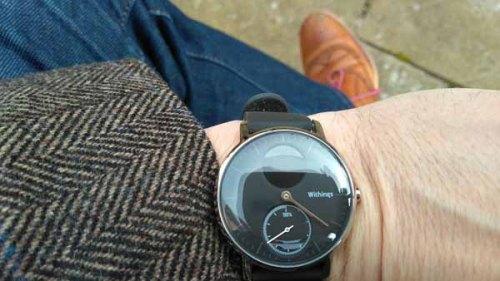
“This is the best looking smart enabled timepiece out there ” whichwearable
Available to buy at around £169.95 from Withings web-site
Withings Steel HR Promises
- Track activity automatically Walk – Run – Swim
- Optimized workouts with continuous heart rate
- Monitor Sleep Cycles
- Incoming Calls and Event Notifications
- View daily Heart rate trends and track resting heart rate
- Beautiful timepiece

- Adapts to your goal

- Battery life
Target Customer
- “Design first”, “exercise aware” individuals.
Why buy it?
- You are a design led individual who loves beautiful watches
- You want to wear this product everyday and look smart at work
- You are keen to monitor your fitness daily but not a fantastic runner or overzealous gym goer
- You are seeking to improve your fitness with HR training and “get into the fitness world”
What could be improved
- Wider range of message types displayed such as WhatsApp!
- Adding running metrics ( km/hour/splits) and map of run to App.
- Watch out for a long press of the side button beyond 5 seconds takes you into System Information (Factory reset) such as the software version of the device. This is a MENU believe it or not. Another press of the button within ONE second takes you to other tasks such as Factory reset the device. So you can inadvertently find the software and firmware version of the device by trying to record an exercise session . This SHOULD be renamed “System menu” to tell the user that there is menu here. At the moment the very small font of the software version looks as if the device has crashed, it hasn’t.
First Impressions
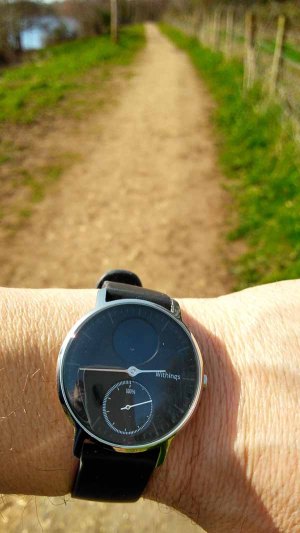
“Nice watch” the wife says…
“Er .. its from a company called Withings, hybrid analogue watch”
“Oh new watch, I like it” work colleague says….
“Er ..it’s from a company called Withings, half analogue, half digital”
“They’ve got the balance right” work colleague says..
“But I haven’t even told you anything about it yet! I retort.
Ok let’s start at the start at the beginning. I’ve talked about the rise of B2A (Back to Analogue) in a previous article and it is happening. I’ve taken the watch out of the box and I’m figuring out how to charge it.
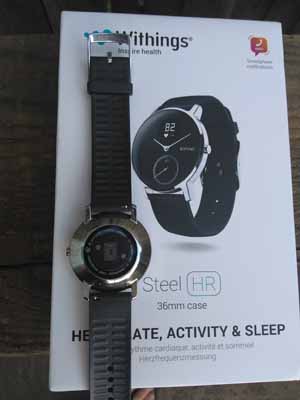
It’s much smaller than I expect (I’m used to wearing bulky bricks and wide tyres) and a thing of beauty. I’m expecting the watch to snap to the charging circle and it doesn’t. I have to rest it on top and wiggle it until the two charging points align. That’s disappointing I wanted a sound “clunk” like the Apple watch connection. I download the App and connect. I can’t get it to sync. Mmm.. classic issue, I’ve paired it with Bluetooth and this is stopping the sync so I un-pair and just keep bluetooth on.
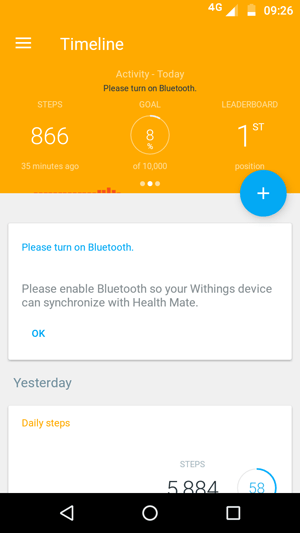
That’s better it’s working now. After a few hours its fully charged. I decide to take it for a walk in Windsor.
Design
The analogue dial gives me what I’ve done in the day and one full rotation is 10,000 steps. I like the dial, that is really cool and classy. Just what I want. I don’t want to pressing buttons when I’m out relaxing.
I get a call from “Carole Work” and her name is displayed nicely on the screen. Hurrah it works!
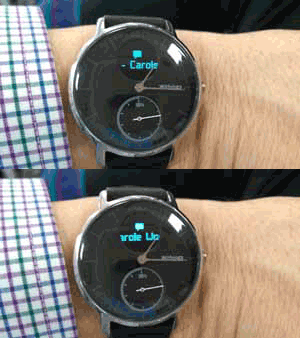
They have made it smaller in this STEEL HR version. The older model called the “Steel” has a much larger activity dial but no digital display (See below) .
The screens are DOMED and light reflects off the watch making the readability a little difficult specifically as they went for a minimalist set of hands (Very thin) so in bright light you have to twist the watch to read the time. The watch hands don’t have any luminous paint so you have to press the side button to get the button at night to see the digital time. Again this is a design decision, they don’t want to make the product unattractive. This is a design led product.
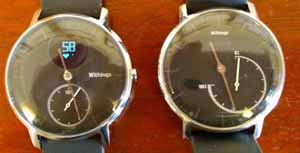
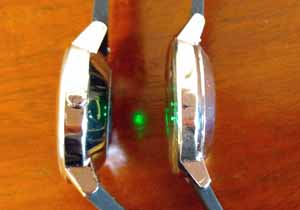
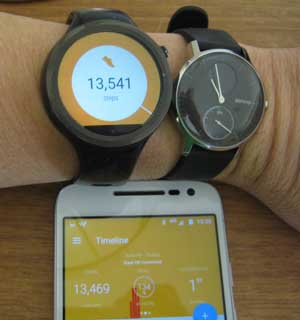
They have done a great job on the looks and at first glance the watch is very thin but it’s not, it’s actually 13 mm wide. It is thicker than the STEEL ( See STEEL on the right in the image below, you can see the green HR laser reflecting off the STEEL as well from the STEEL HR)
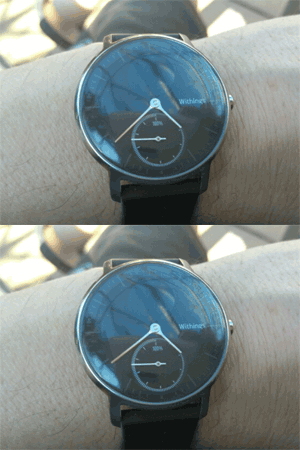
Then there is the minute hand jump, yes it jumps from one minute to another a great sign of focus to design and detail. This is DESIGN FIRST activity going on and I love it.
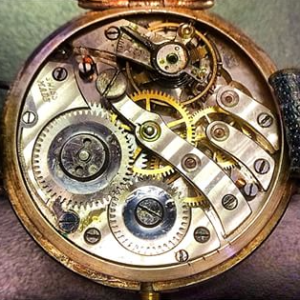
Richard Seymour of Seymour Powell gave a TED talk about timepieces and he said “Do you know why master crafters sign their initials on the INSIDE of a handbuilt watch…because God sees it!”
Personalisation
I’m pressing the button on the right hand side of the screen and I get the day/date/time/distance walked and calories. I can personalise what I see and in what order. Bizarrely you can’t get rid of the day/date, not sure why I want to see the digital time when it’s staring in front of me in analogue format?
Track activity automatically Walk – Run – Swim
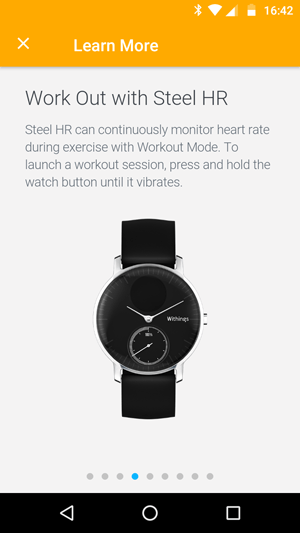
I press and hold the button and the watch vibrates and a timer starts and an animation of dots measuring my heart rate starts animating until “boom!” my heart rate is displayed.
If you press the button again the time of your exercise is displayed in minutes. You can see the display toggling the information below. The heart rate is “163” and the exercise time is “12” minutes.
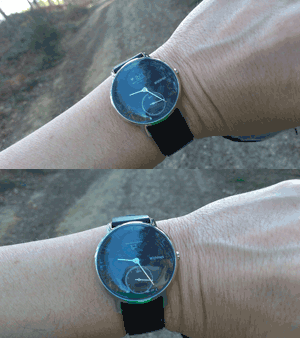
This is important as when you are running the font is quite small and you will learn to press the button to display your heart rate and then a second press gives you the duration of the session.
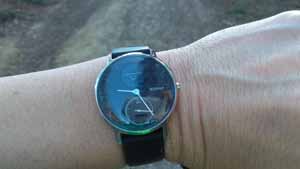
That took me a while to work out but its useful as when you are running the digital display is quite small.
Walk
Go for a walk and the number of steps is uploaded to the App when you open it and sync it (Remember to have Bluetooth on but don’t pair it!). I’ve gone into the same Withing’s App when I reviewed the Withing’s Ox device so if you want more detail on their single App that manages many products have a read here.
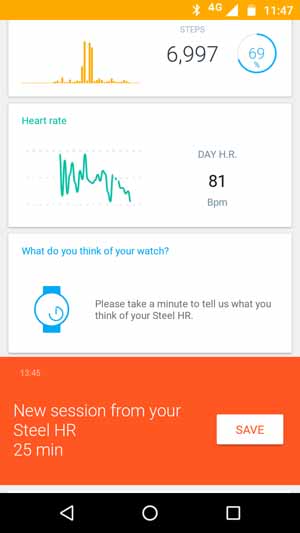
I compared the step counter from a Moto 360 with the Withing’s watch by wearing them both on the same walk and they came out very close see below within 100 steps of each other. The Step count for the Withings is shown on the App on the smartphone.
Running
You’ll get :
- Heart Rate measured in BPM
- Time passed since start of the session (Toggle between 1) and 2) during a session)
- Distance/steps at the end of a session
You won’t get :
- How many minutes you’ve taken to complete a km/mile
- Splits
- Map of run
- Current heart rate Zone, only after the session has ended
This is not a high-end running watch, if you are data driven and seeking to compete for every km/mile this is not for you.
Heart Rate in a running session
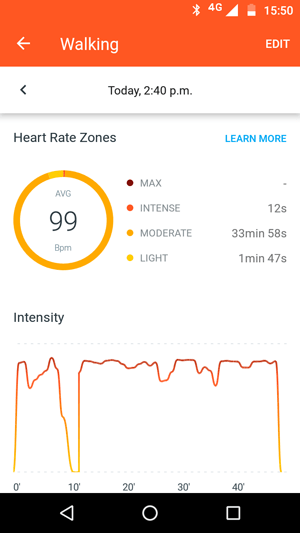
The Withing’s App is brilliant. It will educate you and show you what information is needed to know around heart rate. An exert from the App is shown below and gives you the knowledge on how to work in different heart rate zones.
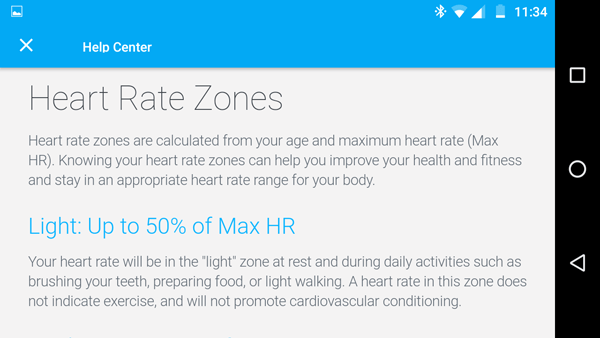
Heart rate is recorded in a running session and you can put your finger on highs and lows and it will display the figure. What would be nice would be able to stretch the width of the day out to see what happened in detail on the hour but this is not possible yet. I didn’t really see anything missing from the graphs to be honest.
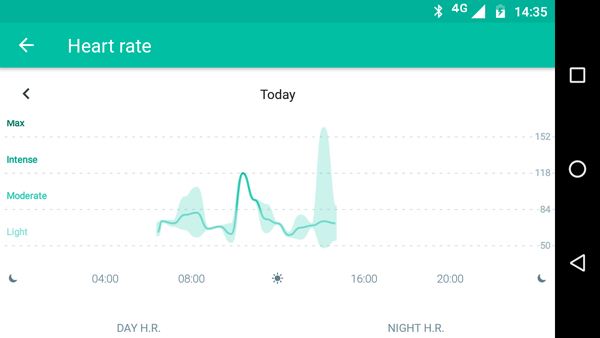
The heart rate zones are recorded in the App and are shown below.
Training in certain heart rate zone is a discipline and one I have written about in the blog here. Worth reading I hope.
Adapts to your goal
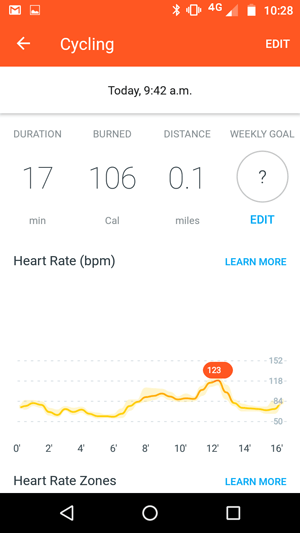
Everytime you use the product it is trying to understand what activity you did and prompt you to save it . After a few sessions of walking it will automatically save the walking session as walking and the same for runs. One bizarre activity was “ping pong” and I had a go at simulating the game without the ball and bat three or four times and recording the activity. Alas the watch didn’t learn my hand wrist motion. I’ve also found out that the watch doesn’t record activity that is less than two minutes so I’m not sure how it will cope with “hit” exercise sessions where you focus on heavy activity for short bursts. This is a minor winge to an otherwise great App that can manage everything from your weight goals to your heart health.
Swim
I didn’t take it swimming as I didn’t have time. It has a 5 ATM mark on it so I’m assuming it is waterproof otherwise you can’t put that mark on it. The watch has a very comfortable soft rubber strap .
Monitor Sleep Cycles
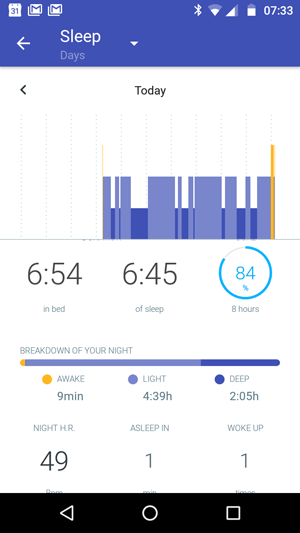
I’m not one to monitor my sleep cycle using a gadget but I did over one night and the results are below. One good aspect is the measurement of your resting heart rate whilst asleep.
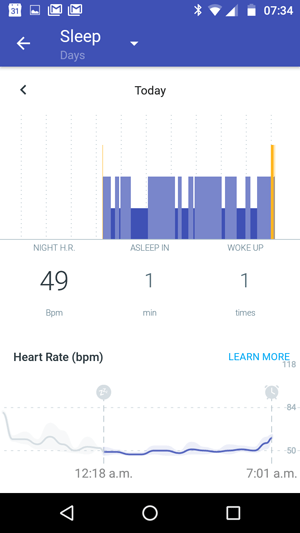
So the results for sleep are very detailed and it even tells you how many times you woke up and went to the bathroom. I guess this will be great to report to the doctor when I get older 🙂
Battery life
I run three times a week with 1 long run (6 miles) and the battery life lasted 14 days without a charge and I found that admirable. Withings state 25 days (Probably with minimal workouts) .
Incoming Calls, Event Notifications and alarm
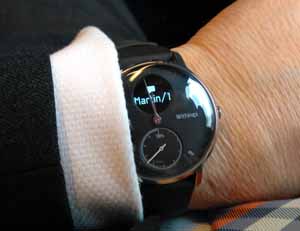
For calls, text messages and calendar items in your phone you’ll get a vibrate pulse on your watch and text to tell you who the call is from and/or the calendar activity. The calendar event below is my garage event for the annual car service.
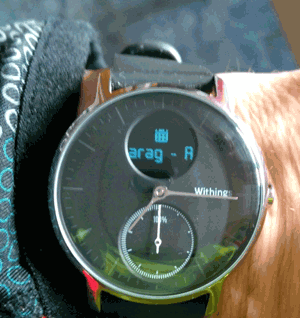
You don’t get the detail of the room your meeting is in or any further details. This is a minimalist approach to notifications and may limit the age bracket of the user of these devices as the youth don’t text they WhatsApp! Withing’s are working on other notifications and I would encourage them to pull out the message content of the message as messaging is a key activity on smart watches. Android Wear 2 gives the user a full qwerty keyboard to respond to a message so you can see where that is going.
On the other hand it is nice just to “Get the balance right” and one could argue that having just the caller details or meeting title is all that you need.
The alarm is a silent vibrate alarm and it is a great feature to wake you up.
So this product does get the balance right and first and foremost you feel good wearing it.
 whichwearable.co.uk